


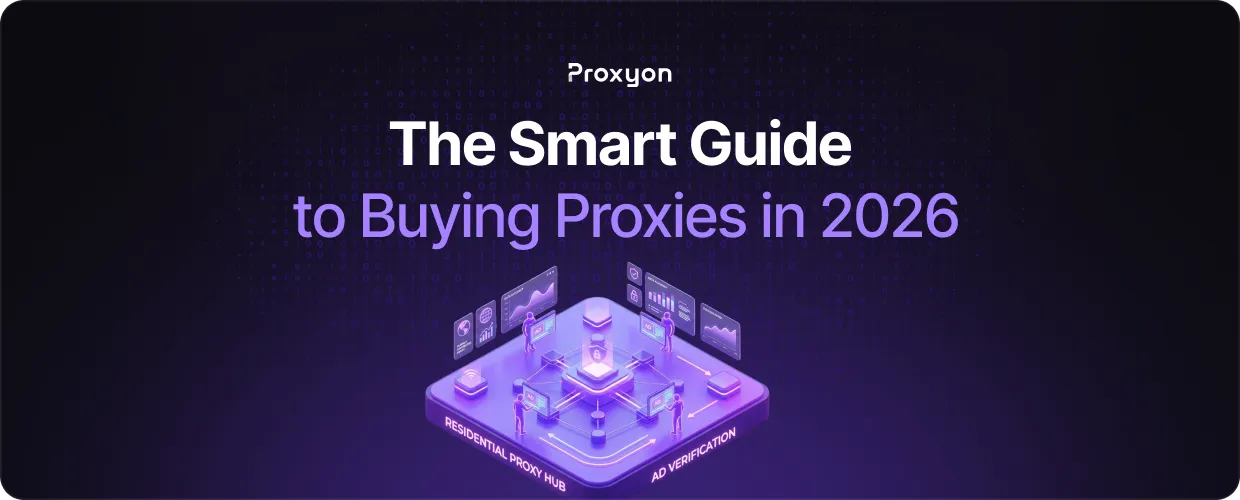
Most people shopping for proxies are dealing with one of three problems: getting blocked while scraping data, triggering security flags while managing multiple accounts, or hitting region-locked content. Whatever your situation is, buying the right proxy upfront saves you a lot of wasted time and money later.
The proxy market is packed with providers making big promises about speed, reliability, and anonymity. Most of them overcharge for mediocre service. Some are outright scams selling you shared IPs that are already blacklisted across half the internet. In this article, we'll explore exactly what to look for when buying proxies so you don't end up on the wrong end of that deal.
What Type of Proxy Do You Actually Need?
Before you spend anything, you need to understand the three main proxy types and what they're genuinely good for.
Residential proxies use IP addresses assigned to real homes by internet service providers. They're the hardest to detect and block because they look exactly like regular home internet users. You'll pay more for them. Proxyon's residential proxies start at $1.75/GB, which is already one of the most competitive prices on the market. They're the right choice for scraping heavily protected sites, managing multiple social media accounts, or any task where getting detected kills the whole operation.
Datacenter proxies come from cloud servers and data centers, not residential ISPs. They're faster and cheaper. Proxyon's datacenter IPs start at $0.30/IP with 1Gbps+ speeds and unmetered bandwidth. Websites can spot them more easily since datacenter IP addresses are publicly known, but for basic web scraping, SEO monitoring, or accessing geo-restricted content where detection isn't a big concern, they get the job done without the premium price tag.
IPv6 proxies are Proxyon's third option, starting at $0.03/IP with billions of IPs available. If you need a scale at a low cost and your target supports IPv6, this is the most cost-effective route available.
Mobile proxies, which route traffic through real carrier-assigned mobile IPs, exist too, but they're the most expensive option in the market and are rarely necessary unless your target specifically filters out both residential and datacenter traffic.
The Red Flags That Tell You to Walk Away

Some proxy sellers will burn your money and waste your time. Here's how to spot them before you hand over your card.
Unlimited bandwidth claims are almost always misleading. No provider can offer truly unlimited bandwidth at budget prices; the economics don't work. What that usually means is throttled speeds after a hidden cap, or oversold infrastructure that crawls during peak hours. Legitimate providers like Proxyon are upfront: transparent pricing, no subscriptions, no hidden fees.
Vague location options are another warning sign. If a provider just says "US proxies" without letting you pick specific cities or states, they're likely rotating you through a limited pool shared by hundreds of other customers. You want granular control down to the city level, especially for ad verification or price monitoring tasks that require specific geographic targeting. Proxyon covers 150+ countries with city-level precision.
No trial or free credits means they know you'd ask for a refund. Proxyon gives new accounts 100MB of residential bandwidth free, no credit card required, so you can test it before committing a single dollar.
Always check the IP pool size. If a provider dodges that question, they don't have enough IPs to give you fresh, unburned addresses. Proxyon's residential pool sits at 10M+ IPs.
Also Read: Python Web Scraping Tutorial
Performance Metrics
Speed numbers and uptime percentages look great in marketing copy, but they don't tell you whether a proxy will actually work for what you're doing.
Response time matters more than download speed. A proxy downloading at 100 Mbps sounds impressive until you see 2000ms response times that make it useless for time-sensitive tasks. For SERP scraping and real-time price monitoring, low latency matters far more than raw throughput.
IP rotation frequency needs to match your use case. Some workflows need sticky sessions holding the same IP for a full scraping session. Others need rapid rotation on every request. Proxyon supports both sticky and rotating sessions; you pick what fits your setup.
Success rate is the metric most providers don't advertise. It measures how often proxy requests actually complete versus timing out or getting blocked. Anything below 95% means you're essentially paying for failed requests. Proxyon publishes a public status page with 99.9% uptime across all proxy types.
Also Read: How to Rotate Proxies in Python Requests
Pricing Reality Check

Proxy pricing follows a predictable curve, and big deviations in either direction should raise questions.
For residential proxies, the standard market range runs $5-10/GB. Proxyon's residential proxies at $1.75/GB sit well below the market average — and that's before the current Easter Sale discount. If you're being quoted $2/GB from another provider claiming "residential," it's worth verifying whether those are genuine ISP-assigned IPs or relabeled datacenter ranges.
Datacenter proxies in the market typically run $1-5/IP monthly for dedicated IPs. Proxyon's datacenter proxies start at $0.30/IP with unmetered bandwidth and 1Gbps+ speeds, which is hard to beat without sacrificing pool quality.
One thing worth pointing out: Proxyon doesn't require a subscription. The minimum deposit is $5, and you only pay for what you actually use. No monthly minimums, no contracts. If you need to pause, you pause. That model makes more sense than paying a flat monthly fee for a service you might only use a few days a month.
Getting Started
Integration is straightforward. Proxyon supports HTTP and SOCKS5, authenticates with username/password or IP whitelist, and works with any tool, Python Requests, Scrapy, Puppeteer, curl, or your own stack. Here's the basic setup with Python:
import requests

proxies = {
    "http": "http://user:pass@gateway.proxyon.io:8000",
    "https": "http://user:pass@gateway.proxyon.io:8000"
\}

response = requests.get("https://target.com", proxies=proxies)
If you're dealing with JavaScript-heavy sites that break standard scraping setups, the Playwright + rotating residential proxies guide on the Proxyon blog covers that in detail.
Final Thoughts
Match the proxy type to your actual use case. Residential proxies for protected targets where detection matters. Datacenter proxies for speed and cost efficiency, where bot detection is light. IPv6 proxies for mass-scale operations at the lowest price per IP. Pace your requests sensibly, check that your provider has a real IP pool and honest pricing, and most of the common problems take care of themselves.
Proxyon gives you 100MB free with no credit card, and a $5 deposit gets you running in under a minute.
