

TL;DR
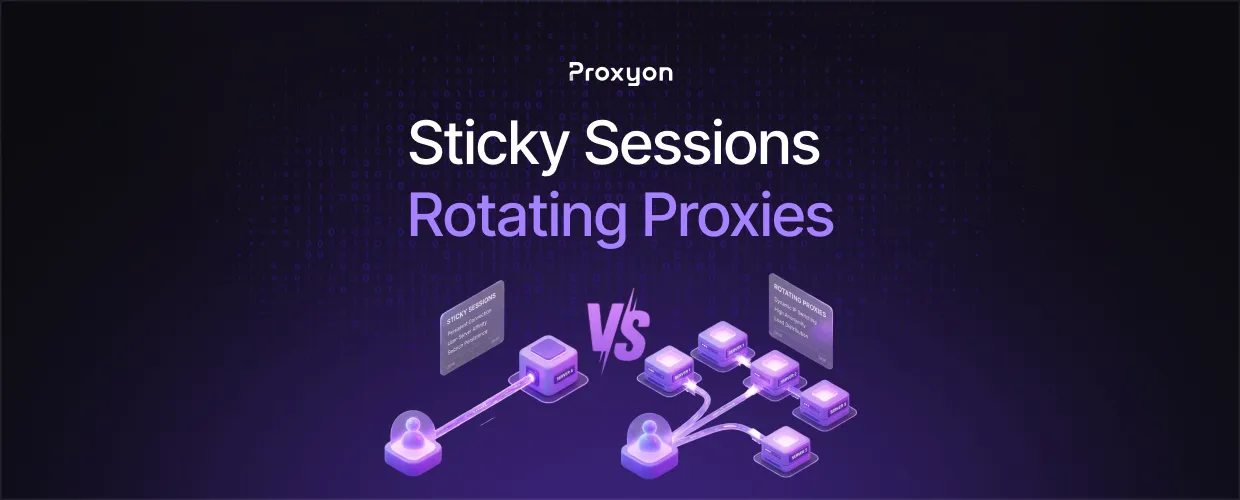
A sticky session keeps the same proxy IP assigned to you for a set stretch of time. A rotating session swaps the IP on every request, or on a short timer. Both come from the same proxy pool, they're just two different modes for handling that pool.
The mode you pick changes what breaks and what doesn't. Get it wrong and you either burn through IPs on a task that needed one identity, or you keep one IP alive long enough for a target to flag it. Neither is a bug in the proxy. It's a mismatch between session type and task.
How Sticky Sessions Work

A sticky session locks you to one IP from the pool for a fixed window, usually somewhere between one minute and a few hours depending on the provider. You request a session, the gateway assigns an IP, and every request you send during that window goes out through the same address until it expires or you close the session.
This matters for anything that depends on continuity. Logging into an account, completing a multi-step checkout, or filling out a form all rely on the site seeing one consistent identity from start to finish. Swap the IP mid-flow and you risk a CSRF failure, a forced re-login, or a fraud flag.
Residential proxies are the usual choice for sticky sessions since the IPs already look like real household connections, and staying on one for an hour doesn't raise the same suspicion a datacenter IP would.
How Rotating Sessions Work
Rotating sessions assign a new IP on every request, or after a short interval you set. There's no continuity here by design. Each request looks like it came from a different visitor, which is exactly the point.
This is the right mode for scraping at volume. If you're pulling thousands of pages from a site with aggressive rate limiting, spreading those requests across a large pool of IPs keeps any single address from taking on enough traffic to get flagged. One IP making 50 requests a minute looks like a bot. Fifty IPs each making one request a minute looks like normal traffic.
Also Read: Rotating Residential Proxies Explained
Which One Should You Use

This comes down to what you are actually trying to do, not which one sounds more advanced.
Use sticky sessions for account creation, logins, checkout flows, and anything with a multi-step form. Use rotating sessions for scraping, price monitoring, SEO rank tracking, and any task where each request stands on its own. Mixing the two up is the most common mistake: people use rotating sessions on login flows and wonder why sessions keep dying mid-flow, or they run a sticky IP through 10,000 scrape requests and wonder why it got banned in the first tenth of them.
For most scraping pipelines, the practical setup uses both. Rotate for the bulk data pull, then switch to a sticky session for the parts of the flow that require login or checkout.
Also Read: How to Rotate Proxies in Python Requests
Session Type in Python

Most providers handle sticky vs rotating through the session identifier in the proxy username, not through separate endpoints. A basic example using Python's requests library:
import requests

# Sticky session: reuse the same session ID for the same IP
proxy = {
    "http": "http://user-session-abc123:password@residential.proxyon.io:8000",
    "https": "http://user-session-abc123:password@residential.proxyon.io:8000"
}

response = requests.get("https://target-website.com", proxies=proxy)
Final Thoughts
Sticky sessions and rotating sessions aren't competing products, they're two settings on the same proxy pool. Use sticky when the task needs one identity to hold, and rotating when it doesn't. Proxyon runs both on residential and datacenter pools with no subscription, pay-as-you-go pricing starting from $2.25/GB on residential and $1.50/IP on datacenter. Deposit what you need and start.
