


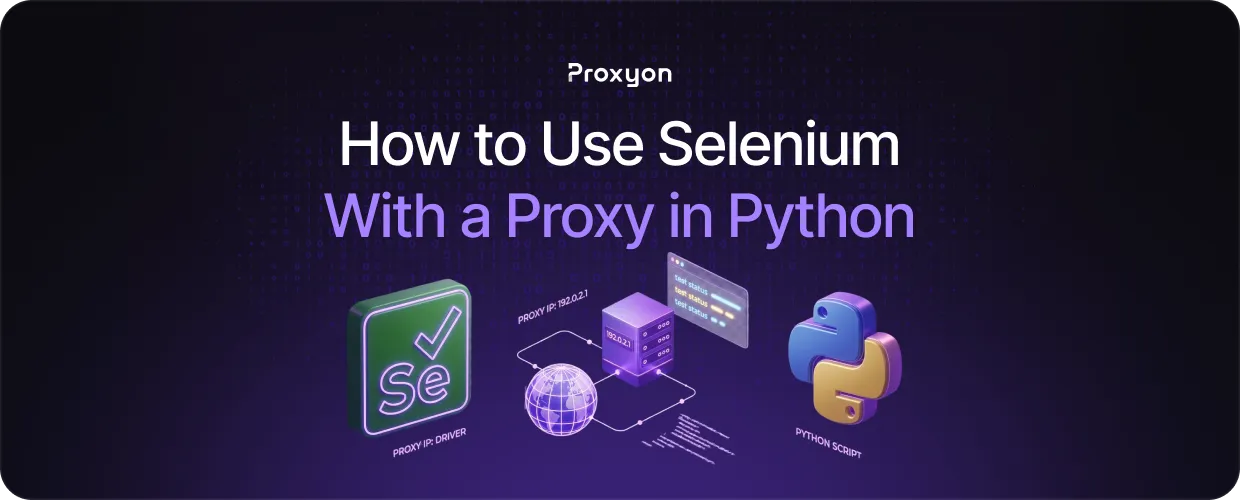
Running Selenium without a proxy means every request comes from the same IP address, which gets you blocked fast. Adding a proxy routes your traffic through a different IP, so the target website cannot link your requests together and cut you off. Whether you are scraping data, automating logins, or testing geo-restricted content, a proxy keeps your sessions running without interruption.
In this article, we'll explore how to set up Selenium with a proxy in Python, covering both static and rotating proxy configurations.
How to Set Up a Proxy in Selenium with Python
ChromeOptions lets you pass a proxy directly to the browser before it launches:
from selenium import webdriver

options = webdriver.ChromeOptions()
options.add_argument('--proxy-server=http://your_proxy_ip:port')

driver = webdriver.Chrome(options=options)
driver.get('https://example.com')
If your proxy requires authentication, ChromeOptions alone won't handle it. You'll need the seleniumwire library instead:
from seleniumwire import webdriver

options = {
    'proxy': {
        'http': 'http://username:password@your_proxy_ip:port',
        'https': 'http://username:password@your_proxy_ip:port',
    \}
\}

driver = webdriver.Chrome(seleniumwire_options=options)
driver.get('https://example.com')$
If you are using Proxyon, replace the IP, port, username, and password with the credentials from your dashboard. The rest of the code stays the same.
Also Read: How to Bypass Cloudflare Bot Detection With Proxies
Choosing the Right Proxy Type for Selenium
The proxy type you use directly affects how well your sessions hold up against detection.
Datacenter proxies are the fastest and cheapest option. They work fine for targets without aggressive bot detection, but stricter sites will flag them quickly since datacenter IPs are easy to identify.
Residential proxies use IPs assigned to real households by ISPs, making them look like regular user traffic. They are harder to detect and work well for most scraping and automation tasks, which makes them the go-to choice for Selenium in most cases.
Mobile proxies route traffic through carrier-assigned IPs, which are the hardest to block. They are the most expensive option and only worth it if residential proxies are consistently getting flagged on your target.
For most Selenium use cases, residential proxies hit the right balance between detection resistance and cost, starting at $1.75/GB with no subscription required.
How to Reduce Detection When Using Selenium
A proxy alone does not make Selenium undetectable. Websites use several signals beyond the IP address to identify automated traffic.
The first thing to address is the webdriver flag. Selenium sets a browser property that websites can read to confirm they are dealing with a bot. Mask it with:
options.add_argument('--disable-blink-features=AutomationControlled')
options.add_experimental_option('excludeSwitches', ['enable-automation'])
options.add_experimental_option('useAutomationExtension', False)
User agents are another signal. Selenium's default user agent gets flagged on some sites, so set a realistic one manually through ChromeOptions.
Request timing matters too. Fixed intervals look automated, so add random delays between actions to mimic real user behavior.
Finally, if you are running multiple sessions, use a different IP for each one. Rotating residential proxies handle this automatically, assigning a fresh IP per request without extra configuration.
Also Read: ISP vs. Datacenter Proxies
Final Thoughts
Get the proxy configured, pick the right type for your target, and handle the basic detection signals. Do that, and your sessions will hold up. Proxyon's residential proxies start at $1.75/GB with no subscription required. Deposit $5 and start at Proxyon.
