


Sending repeated requests from the same IP address will get you blocked fast. Most websites have bot detection systems that flag and ban IPs showing repetitive patterns, and once that happens, your scraper stops working entirely. Rotating proxies solve this by automatically switching your IP with every request or at set intervals, so the target website never sees the same source twice.
Setting up rotating proxies is not complicated, but doing it wrong means wasted requests, failed scrapes, and money spent on proxies that are not working for you. In this article, we'll walk through how to set up rotating proxies for web scraping the right way.
How Rotating Proxies Work in a Scraping Setup
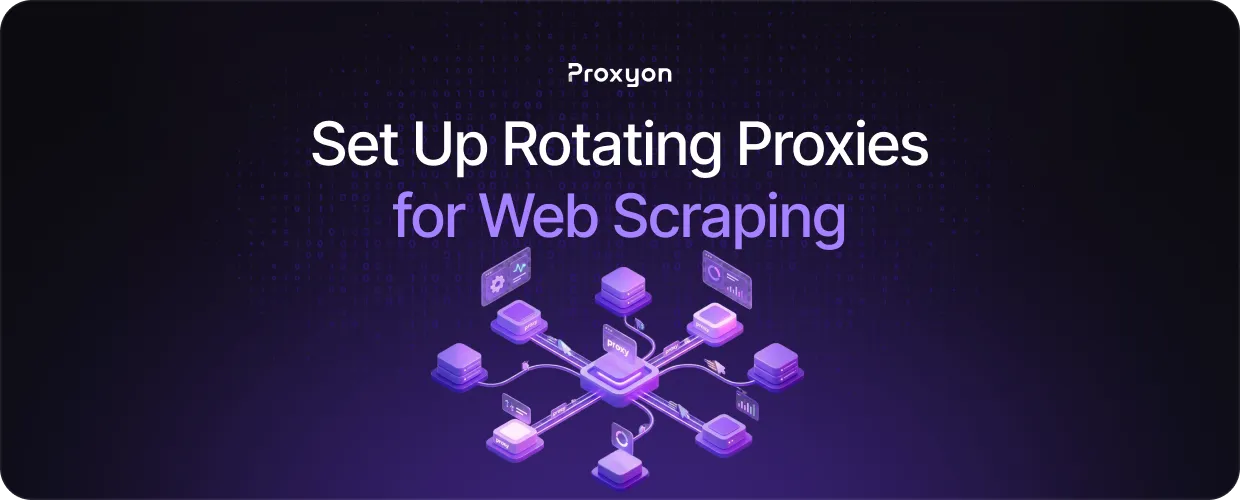
When your scraper sends a request, it goes through the proxy server first, which forwards it to the target website using one of the IPs from its pool. The target website sees that IP, not yours. With rotating proxies, each new request gets a different IP automatically.
Most providers give you a single endpoint to plug into your scraper. That endpoint handles all the rotation on the backend, so you do not need to manage a list of IPs or write any switching logic.
The two main rotation modes are request-based, where the IP changes with every request, and session-based, where you keep the same IP for a set period before it switches. For most scraping tasks, request-based rotation is the safer choice since it minimizes the chance of any single IP getting flagged.
Also Read: What Are Rotating Proxies? How They Work
Setting Up Rotating Proxies Step by Step

First, sign up at Proxyon and grab your proxy credentials from your dashboard: your username, password, and endpoint URL.
Next, plug the endpoint into your scraper. If you are using Python Requests, it looks like this:
proxies = {
    "http": "http://username:password@gate.proxyon.io:port",
    "https": "http://username:password@gate.proxyon.io:port",
\}

response = requests.get("https://target-site.com", proxies=proxies)$
Every request sent through that endpoint automatically goes out from a different IP. If you are using Scrapy or Playwright, the integration is just as simple pass the same endpoint into the proxy settings of whichever tool you are using.
If you need session-based rotation, Proxyon lets you control that directly from the endpoint URL without changing anything else in your code.
Tips to Get the Most Out of Rotating Proxies

Pace your requests. Even with rotating proxies, sending hundreds of requests per second is a red flag. Add a small delay between requests, and your scraper will run longer without triggering detection.
Match the proxy type to your target. Residential proxies are worth the extra cost on heavily protected sites, but for sites with no serious bot detection, datacenter proxies do the job at a fraction of the price.
Handle errors properly. Some requests will fail regardless, so build retry logic into your scraper. When a request fails, retry it with a fresh IP rather than giving up entirely.
Test before running at scale. Send a small batch first, confirm the IPs are rotating, and make sure your responses look clean before committing to a full scrape.
Also Read: Residential vs Datacenter Proxies
Final Thoughts
The setup takes minutes, and the rotation handles itself after that. What actually determines your success rate is pacing your requests, matching the right proxy type to your target, and handling failures properly.
Proxyon's rotating proxies start at $1.75/GB with no subscription required. Deposit $5 and start scraping in minutes at Proxyon.
