


TL;DR
Incogniton is a Chromium-based anti-detect browser that runs each account in its own profile with a separate fingerprint, cookie jar, and proxy. The free plan gives you 10 profiles for two months, then drops to 3, and keeps automation and team features behind paid tiers. It runs on Windows and macOS only, ships Python and Node.js SDKs that communicate with a local API, and accepts any HTTPS or SOCKS5 proxy you provide. None of it works unless every profile gets its own dedicated IP.
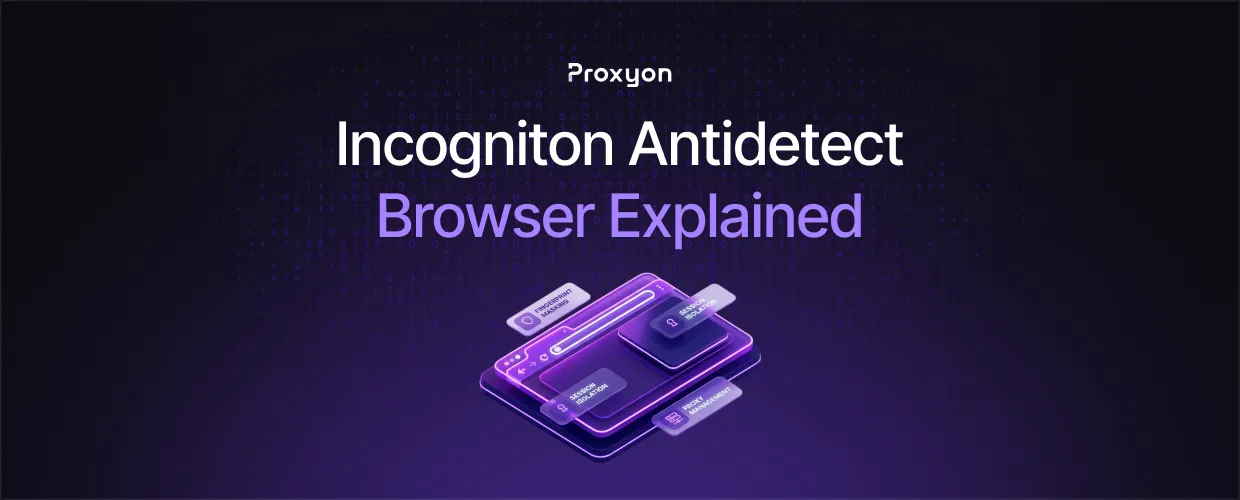
Incogniton is an antidetect browser that runs each account in its own profile, with a separate fingerprint, storage, and IP address, so each profile looks like a different device. Most reviews of it come from competing browsers and several get the basics wrong. In this article, we'll explore how Incogniton works, how to attach proxies, what the plans include, and which proxy type to pair with it.
What Incogniton Is

Incogniton is a Chromium-based desktop app from WorkingGreen BV in Amsterdam. It runs on Windows and macOS only, with no Linux build, no mobile app, and no cloud launch, so it cannot live on a server. Each profile you create launches as its own browser window.
Each profile spoofs the user agent, screen size, time zone, language, WebGL and canvas output, fonts, and hardware, and keeps its cookies and history sealed. The keyword here is isolation. Built-in Pixelscan, BrowserLeaks, and BrowserScan checks verify it. The raw fingerprint settings are all exposed, which suits engineers and slows everyone else down.
Attaching a Proxy to a Profile
Fingerprint isolation covers the device layer. The IP is tracked separately, so two profiles on one connection can still be linked. Every profile needs its own IP.
The Proxy tab offers free built-in proxies, a Proxy Shop, and a Proxy Library. The free proxies are shared IPs in nine countries that change between sessions, fine for testing a fingerprint and wrong for running an account.
To attach your own, open the Proxy Library, pick HTTPS or SOCKS5, and paste the full credential string:
203.0.113.10:8080:username:password
Bulk import takes one proxy per line in that format or a CSV. If your provider rotates IPs through a URL, toggle Rotating proxy and paste the endpoint. The proxy formatter converts credentials that arrive in another layout.
Also Read: Plug Proxyon Into Multilogin
Automating Incogniton From Code
The Entrepreneur tier and above unlock a local REST API plus official Python and Node.js SDKs. Everything talks to the desktop app on localhost:35000, so there are no API tokens and nothing leaves your machine. The SDKs attach Playwright or Selenium over CDP or WebDriver, and the API also exposes Puppeteer endpoints.
The Python SDK is async and needs Python 3.9 or newer. This swaps a profile's proxy, launches it headless, and screenshots a fingerprint check:
import asyncio
from incogniton import IncognitonClient, IncognitonBrowser

async def main():
    client = IncognitonClient()
    pid = "your-profile-id"

    await client.profile.switch_proxy(pid, {
        "connection_type": "HTTP",
        "proxy_url": "PROXY_HOST:PORT",
        "proxy_username": "USERNAME",
        "proxy_password": "PASSWORD",
    })

    browser = IncognitonBrowser(profile_id=pid, headless=True)
    pw = await browser.start_playwright()
    page = await pw.new_page()
    await page.goto("https://pixelscan.net")
    await page.screenshot(path="check.png")
    await browser.close(pw)

asyncio.run(main())
Incogniton's API documentation covers the rest, including profile cloning, cookie import and export, and a cookie-collection robot.
Also Read: Plug Proxyon Into Playwright
What the Free and Paid Plans Include
The free Starter package gives you 10 profiles for two months with no credit card, then drops to 3. Several reviews still call it a permanent 10-profile tier. It is not. The free plan also excludes the Cookie Collector, the Synchronizer, team management, and the API.
Paid plans scale by profile count: Starter Plus stays at 10 without automation, Entrepreneur moves to 50 and unlocks the API, Professional adds 150 profiles and 3 team seats, and Custom starts at 500 with 10 seats. Six-month billing takes 30 percent off and yearly 40 percent. One thing worth knowing: listed prices exclude VAT, which lands at checkout. Current figures are on Incogniton's pricing page.
Which Proxy to Pair With It
Incogniton's own docs put static residential proxies first, and that is the right read. A long-lived account wants one IP that never changes. Proxyon's ISP proxies are static residential IPs on datacenter hardware, one owner per IP with unmetered bandwidth, built for exactly that.
For geo-testing, ad verification, or scraping through a profile, rotating residential proxies fit better. The gateway handles rotation, so you attach one endpoint and set a sticky session to match the profile's lifetime. Datacenter proxies are the cheap option for throwaway profiles and fingerprint tests, but they are easier to detect, so keep them off anything you want to keep.
FAQ Section

Is Incogniton free?
Partly. The free Starter package includes 10 profiles for two months with no credit card, then drops to 3 profiles. Automation, the Cookie Collector, the Synchronizer, and team features are only available on paid tiers.
What is an Incogniton browser profile?
A profile is a self-contained Chromium environment with its own fingerprint, cookies, storage, and proxy. Launching two profiles is like browsing from two separate machines, which is what stops platforms from linking the accounts inside them.
What is Incogniton used for?
Mostly for running multiple social media, e-commerce, and affiliate accounts from one machine. Developers also use it as a fingerprinted browser layer for Playwright or Selenium scraping through the local API and SDKs.
How much does Incogniton cost?
Paid plans scale by profile count across four tiers, from 10 profiles up to 500 and beyond, with 30 percent off for six-month billing and 40 percent off for yearly. Listed prices exclude VAT. Check Incogniton's pricing page for current figures, since they change.
Does Incogniton work on Linux?
No. The desktop app ships for Windows and macOS only, and there is no mobile or web version.
Can I use my own proxies with Incogniton?
Yes. Any HTTPS or SOCKS5 proxy with username and password authentication can be added to the Proxy Library, one at a time or in bulk from a CSV, and assigned to a profile from its Proxy tab.
Final Thoughts
Incogniton is the right call when you need isolated desktop profiles on Windows or macOS and want a local API to drive them from code. The free plan is enough to test the fingerprints against your target, but expect to pay the moment you need automation. None of it works without a separate IP per profile, so budget for proxies alongside the browser.
